
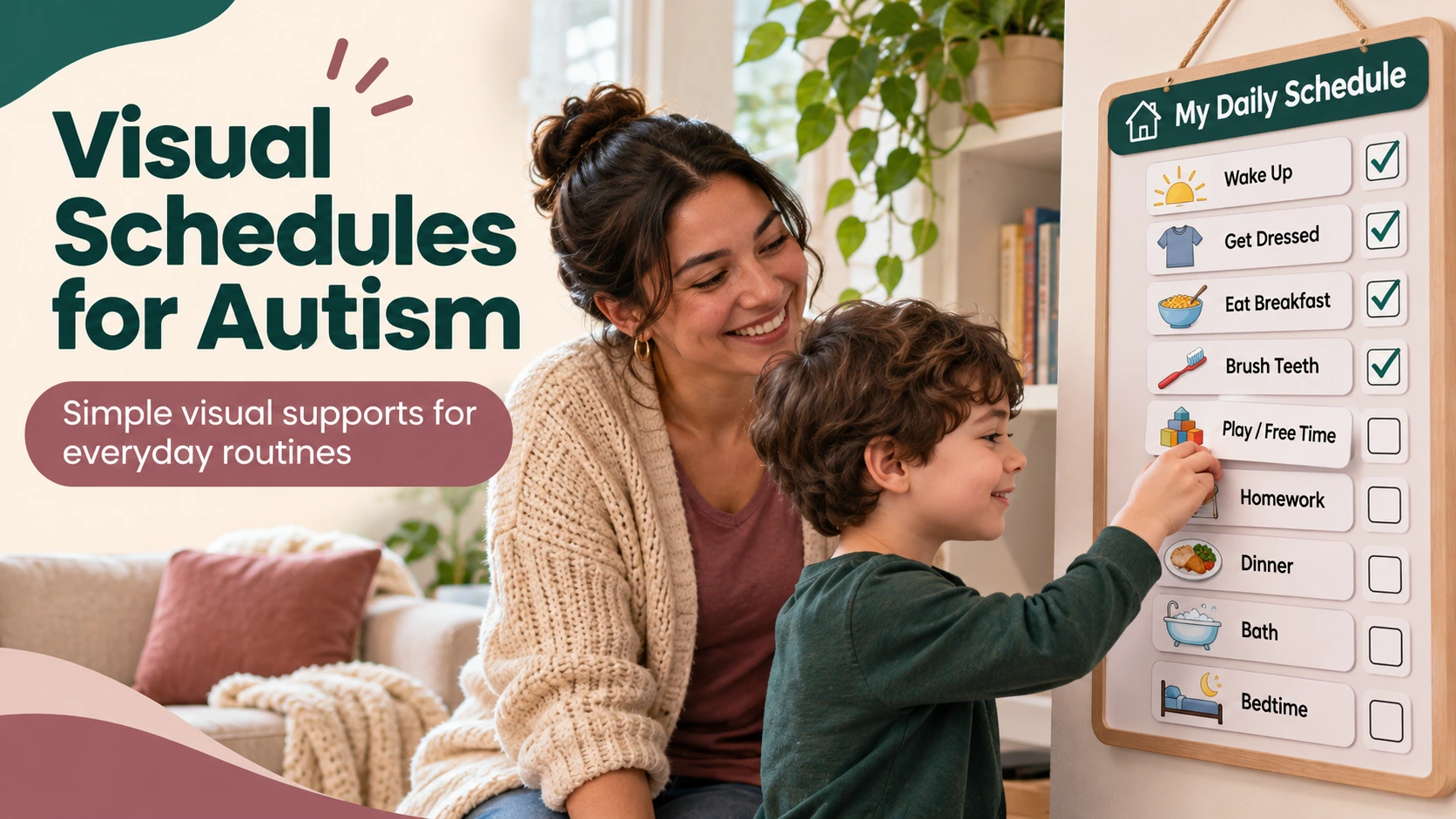

Getting ready for school involves changes: changing clothes, eating breakfast, finding shoes, and leaving home. When things change or expectations are not clear, it can be a hard morning.
Visual schedules for autism are a practical tool that uses pictures, objects, symbols and/or words to demonstrate what is next. This guide describes their potential value, the various styles, and making and customizing schedules for everyday family activities.
What Is a Visual Schedule for Autism?
A visual schedule is a sequence of activities. Children can use it to refer to it during a routine, rather than using verbal cues. An autism visual schedule might use photographs, picture symbols, or written activities.
Visual schedules are just one type of visual supports, and there are different visual supports for different purposes:
| Tool | What it shows |
| Visual schedule | The sequence of upcoming activities |
| First-then board | Two activities in order: what happens first and next |
| Visual timer | How much time remains or is passing |
| Task checklist | Steps within one task, such as washing hands |
| Reward chart | Progress toward a reward or earned tokens |
What is the difference between a visual schedule and a first-then board?
A visual schedule shows the sequence of activities throughout a routine, while a first-then board displays only two activities: what happens first and what comes next. A first-then board is a simplified type of visual schedule that can be useful when a child benefits from seeing a shorter sequence.
It doesn’t require a child to earn something that they already like, as with a reward chart. Schedules may contain breaks, options and variations.
Benefits of Visual Schedules for Autistic Children
The benefits of visual schedules for autism depend on the child and context. They can help make information more accessible in chaotic, erratic family times.
· Predictability: When breakfast is followed by getting dressed it makes the sequence clear, rather than needing a few verbal instructions.
· Transitions: A picture provides preview information before you leave the playground or change classroom tasks. It does not replace breaks or sensory accommodations.
· Communication: A caregiver and child can point to the same pictures, discuss an upcoming activity or point to one where the plan needs to be changed. A schedule is a tool that can help with communication, but it is not AAC.
· Participation: A familiar sequence can help to support the understanding of everyday activities, such as getting ready for school, having a snack or attending a group lesson.
· Independence: Children may need to be reminded less by the adults, and still be provided with the information they need when they can check the next picture themselves.
The 2016 visual-support practice guide by Sam and the AFIRM team describes implementation approaches. The role of visual schedules, however, was difficult to separate from other components of combined interventions in the study by Mouzakes and Thompson (2025). There shall be no guarantee of results. A schedule must be evaluated on its effectiveness in communicating and participating with the individual child.
Types of Visual Schedules for Autism
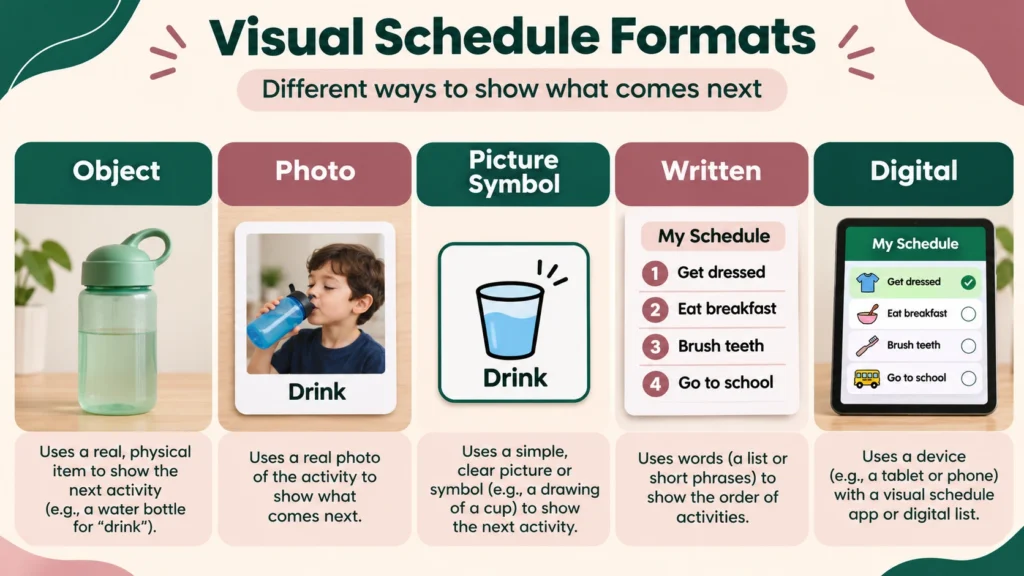
Different types of visual schedules for autism convey information differently. Select appropriate and familiar visuals and length of sequence.
Visual Formats
| Format | How It Works | Example or Consideration |
| Object schedule | Familiar physical objects represent activities | A spoon signals snack time; objects should be meaningful to the child |
| Photograph schedule | Real photos show familiar places or items | A picture of the child’s own toothbrush |
| Picture-symbol schedule | Illustrations represent activities | Simple icons for reading, playing, and eating |
| Written schedule | Words list activities in order | A school-day list for someone who understands written language |
| Digital schedule | An app or device displays the sequence | Portable and editable, provided the screen is accessible and not distracting |
There is no definite best format. Some of the learners might like pictures, others symbols or words. Preferences may vary between settings. Selecting visuals is a matter of recognition and access, not age or ability to talk.
Schedule Lengths
· First-Then Board: Displays two upcoming activities, useful for a short sequence.
· Mini Schedule: Shows a manageable part of the day, such as getting ready to leave.
· Full-Day Schedule: Provides a broader overview, with updates when plans change.
· Classroom Schedule: Shows shared activities, sometimes alongside a student’s individual schedule.
Example: A first-then board has the writing “First breakfast → Then playground.”
A longer visual routine might show breakfast → shoes → travel → playground → home. More pictures are not necessarily better.
How to Make a Visual Schedule for Autism at Home
Learning how to make a visual schedule for autism starts with one meaningful routine. Polished materials are not as important as clear information. Creating the schedule by hand can help determine which pictures are the most important. A visual schedule for an autistic child at home can reflect familiar activities.
Prepare the Schedule
Step 1. Choose a Routine: Choose an activity that your child is familiar with, like getting dressed or getting ready for bed. Ask what your child would like help remembering.
Step 2. Select Visuals: Use a familiar object, photograph, art work or short words. Invite your child to choose cards. Familiar photos may beat decorative icons.
Step 3. Arrange Activities: Place activities in order. Take a step-by-step approach with flexibility or alternatives. A complicated sequence can be divided into smaller parts.
Step 4. Prepare Materials: Attach images to paper, cardboard, Velcro, or a magnetic board; a device may also work. Make it easily available; add a completed pocket or check mark if necessary. A printable visual schedule may be a good starting point.
Example: For a short morning routine, use three cards: bathroom → breakfast → get dressed. Add more if necessary. Have additional cards for making changes or requested breaks.
Introduce and Adjust
Step 5. Model Use: Point to the current activity, then to the next planned activity. Explain the meaning of the picture in simple language, gestures or the child’s AAC system. Encourage childs to participate rather than pushing for a particular response.
Step 6. Mark Completion: When an activity is done, put the activity card in a finished pocket, put a checkmark next to it, or just indicate the next card. Select a technique the child is able to view and execute.
Step 7. Review and Adapt: Check whether the child recognizes the pictures and uses them. If not, experiment with the pictures, steps, place or format. Adults can slowly start to take away unnecessary reminders and leave the schedule out.
Five Visual Schedule Examples for Everyday Routines
These visual schedule examples for autism are hypothetical.
Home Visual Schedule Examples
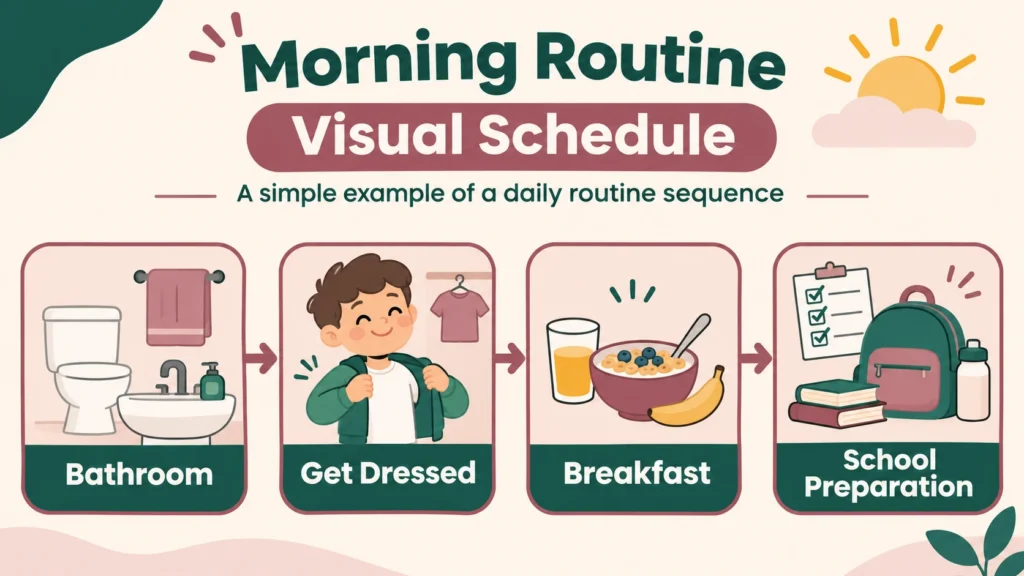
Example: Morning Routine
Wake up → Bathroom → Get dressed → Breakfast → School preparation.
An autism daily routine visual schedule shows what comes next. Keep cards up-to-date when plans change. If you have to start with breakfast before getting dressed, do it that way – an incorrect picture sequence will not assist.
Example: After-School Routine
Arrive home → Snack → Rest → Planned activity → Free time.
The autism daily routine chart should reflect real afternoons, with optional activity cards. If a child requires extra rest following a strenuous day, then shift those cards, don’t use them as deadlines.
Example: Bedtime Routine
Wash or bathe → Pajamas → Brush teeth → Quiet activity → Bed.
Modify sequence to suit the preferences and routines of the family. The schedule will not solve the sensory challenge if toothbrushing is uncomfortable; consider alternative supports. A finished marker that is removable can be used to demonstrate progress without additional verbal cues.
Be ready to provide cards and accept requests for changes.
Classroom and Community Outing Visual Schedule Examples
Example: Classroom Routine.
Arrival → Group activity → Learning task → Break → Lunch.
A classroom picture schedule may be helpful for shared expectations, and an individual schedule may be more representative of a student’s activities, communication or break needs. For related strategies, read ALMA’s School-Based ABA Therapy guide.
Example: Community Outing.
Prepare → Travel → Store → Checkout → Return home.
Carry a mini schedule. Use a change card if plans shift; welcome requests for breaks or leaving. Ask the child to select a favourite comfort object before going away.
Best Practices for Using Visual Schedules Successfully
A visual schedule for kids with autism should honor communication, comfort, and participation without imposing strict demands.
· Personalization: Use pictures and activities the learner recognizes. Come back to the layout again with the understanding and preferences changing over time.
· Participation: Give real options, e.g. two flexible activities to choose the sequence of, and maintain available options. Respect refusal and requests for adjustments.
· Accessibility: Consider vision, motor access, sensory preferences, and AAC. Children should not need to touch the cards to grasp a schedule.
· Flexibility: Use a change card and simply explain unexpected events. Display the revised plan, don’t swap out pictures in secret.
· Collaboration: Understanding cues can be shared with caregivers and educators and can be adapted to different settings.
· Evaluation: Check to see if the schedule is supportive: Is the child able to read it, use it, make decisions with it, and feel comfortable with it?
Example: When a playground visit is cancelled due to rain, display a Change Card and provide an alternate activity to be done indoors or another desired activity. The National Autistic Society recognizes that preferences for predictability vary across autistic people.
Common Visual Schedule Challenges and How to Solve Them
When visual schedules for autism are not working, adjust the format. Resistances can convey discomfort or an unmet need. Do not force use in stressful situations: Understanding the concern is more important than its completion.
| Challenge | Possible Reason | Helpful Adjustment |
| Refusal or little interest | The schedule feels irrelevant or demanding | Ask what feels unhelpful; offer choice or another tool |
| Confusing visuals | Symbols are unfamiliar | Try photos of actual objects or demonstrate their meaning |
| Too many activities | Information feels overwhelming | Show fewer cards or use a mini schedule |
| Inconsistent use | Adults display different sequences | Agree on basic cues and update changes together |
| Difficult transitions | Sensory discomfort, uncertainty, or activity demands remain | Offer breaks, communication options, and environmental adjustments |
Example: A child ignores cartoon bathroom symbols but recognizes a photograph of their own bathroom door. Changing the picture may make the information more accessible, without treating the child’s earlier response as misbehavior.
What should parents do if their child does not want to use a visual schedule?
Avoid forcing your child to follow the schedule. Rather, examine in what ways it might seem confusing, overwhelming or unhelpful. Use familiar photos, less activities or a different format. Invite your child to make choices and respect their communication, preferences, and need for breaks. The aim is to provide a helpful support and not to ensure compliance.
Building Independence With Visual Schedules and ABA Support
Independence includes information access, communication, and choice, not abandoning useful tools.
Reducing Adult Prompts While Keeping Helpful Visual Supports
When teaching an autism visual schedule, adults might point to a picture or say, “Check what’s next.” Later they can stop to have independent checking. Fading adult prompts does not mean removing a useful, accessible schedule. Independence may also include asking an adult to clarify a confusing step.
Example: A child reviews the backpack image prior to school, without an auditory cue. The schedule continues to be posted. See ALMA’s Antecedent Interventions guide.
When Individualized ABA and Parent Support May Help
A BCBA may be able to help customize visual schedules for autism, provide instruction and training for caregivers, and determine effectiveness. Educators or speech-language pathologists can recommend access and AAC in the classroom.
ALMA offers parent support and In-home ABA therapy. Neither is required to make a schedule. Families may also refer to the existing professional support network of the child, as appropriate. Honor preferences and assent in planning.
Frequently Asked Questions About Visual Schedules for Autism
These answers are for some of the questions that family members may have when trying to make an everyday schedule more flexible.
At What Age Can a Child Start Using a Visual Schedule?
There is no universal starting age. Some learners understand objects, others pictures or text. Use a visual schedule for children with autism that is based on understanding and access to the schedule, not just age.
Are Real Photos Better Than Picture Symbols for Autistic Children?
Not necessarily. Symbols are accepted everywhere, familiar photos might be clearer. Try both; a picture schedule can combine them. Select learner’s known and preferred material.
Is a Printable Visual Schedule Better Than an App?
A printable visual schedule needs no battery. Apps are portable and can be easily updated, but can be distracting for some. A 2025 review by Hammond and colleagues highlights research limitations.
How Many Pictures Should Be on an Autism Visual Schedule?
There is no limit to the number. Two pictures may cover a short transition; another child may prefer a full day. Adjust the sequence according to the learner’s understanding.
Can Nonspeaking Autistic Children Use Visual Schedules?
Yes. Spoken language is not required. Select easy to access objects, pictures or words. More than one form of communication is discussed in ASHA’s AAC guidance and schedules are meant to be used in addition to, rather than instead of, expressive AAC.
How Long Does It Take a Child to Learn to Use a Visual Schedule?
Learning time varies. Observe if the child is able to identify symbols, confirm the order and whether it is helping or hindering the child rather than expecting to move to the next level by a certain time frame. Modify supports as necessary.
Final Thoughts: Making Daily Routines More Understandable
A visual schedule may be useful to help make typical daily activities predictable and facilitate communication, participation and independence. The best way is one that works for your child, is respectful of your child’s individual needs, preferences and abilities.
Get Personalized Support for Your Child’s Daily Routines
At ALMA Behavioral Solutions, we partner with families to create a personalized, realistic plan to support daily activities. Through caregiver collaboration and ABA therapy, we help families find approaches that fit their child’s needs.